
IM Mail Form
Build WordPress Forms Easily — No Coding Required
IM Mail Form is a WordPress plugin that makes it easy to create and configure forms directly from your WordPress dashboard, without requiring technical expertise.
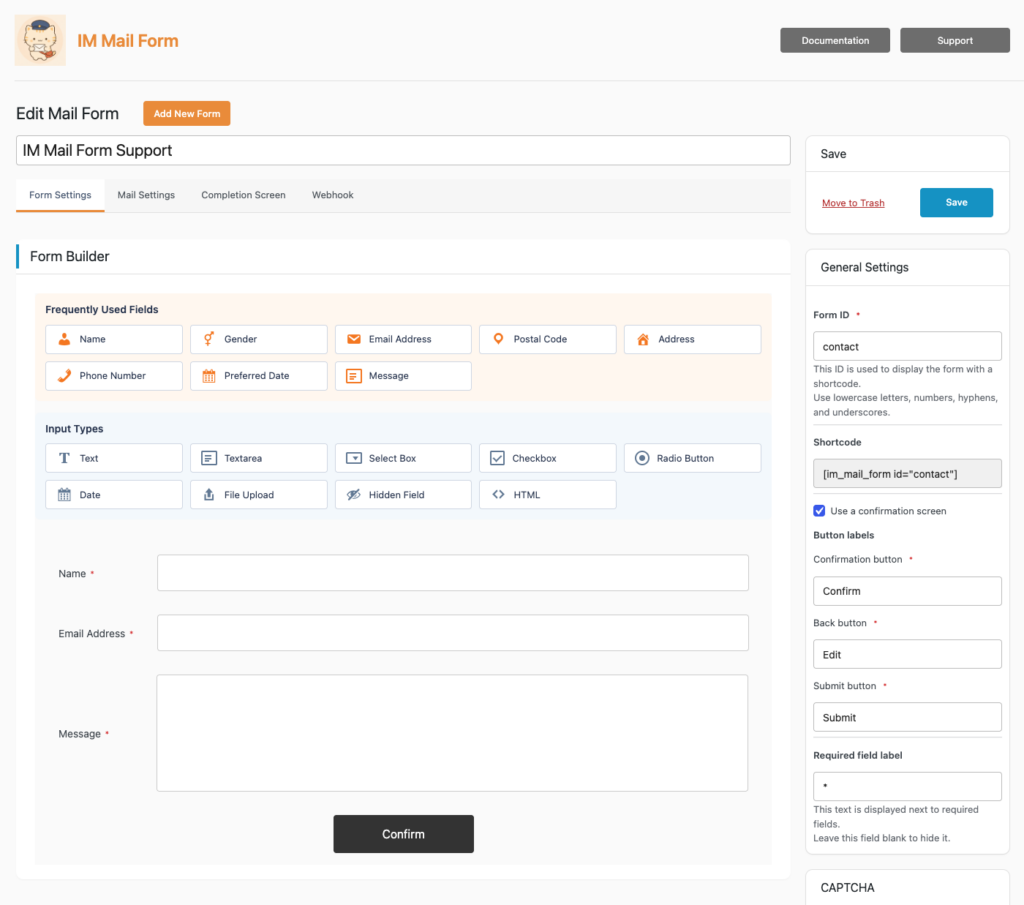
Add the fields you need, configure them through a simple interface, and rearrange them with drag & drop.
Confirmation screens, automatic reply emails, file uploads, email logs, spam protection, and other essential features for managing forms on your website are built in.
No HTML or programming knowledge required.
Download for Free on WordPress.org
Key Features
Simple Form Building
Choose the fields you need and configure each one directly from the WordPress dashboard.
Once added, fields can be freely rearranged with drag & drop.
IM Mail Form supports a wide range of field types, including text, email address, phone number, date, textarea, select box, radio button, checkbox, hidden field, and file upload.
Confirmation Screens
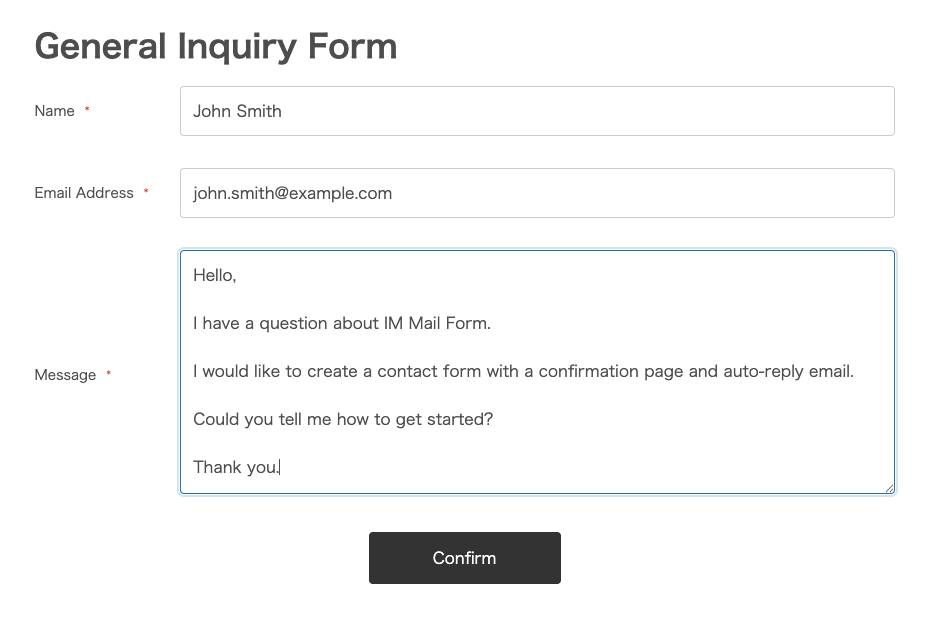
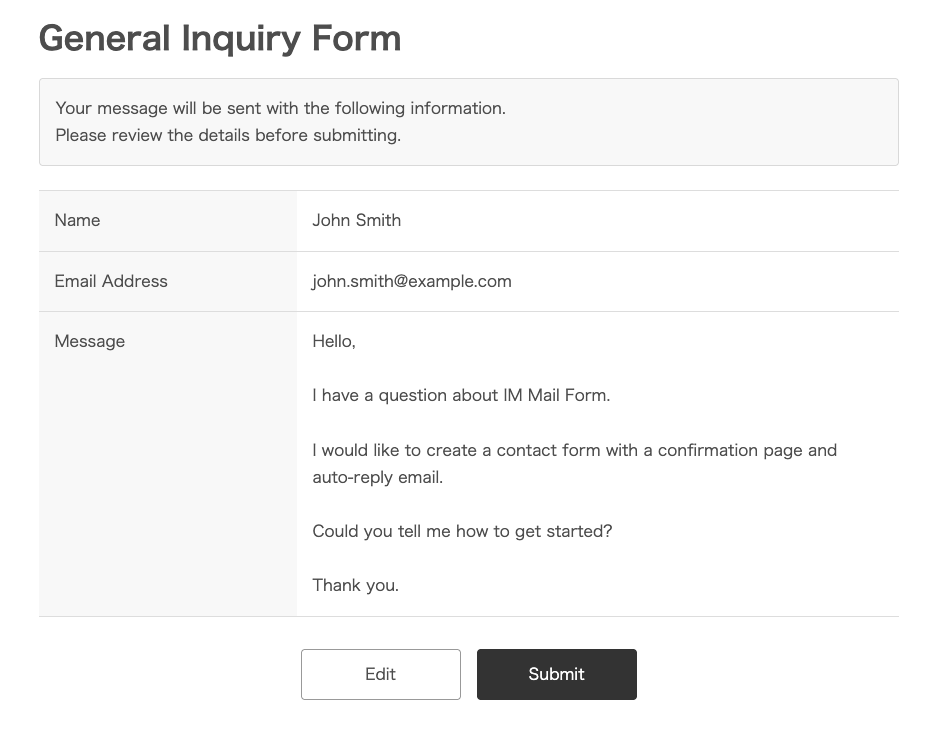
Let users review their entries before submitting a form.
Confirmation screens can be enabled or disabled individually for each form.
Automatic Replies & Admin Notifications
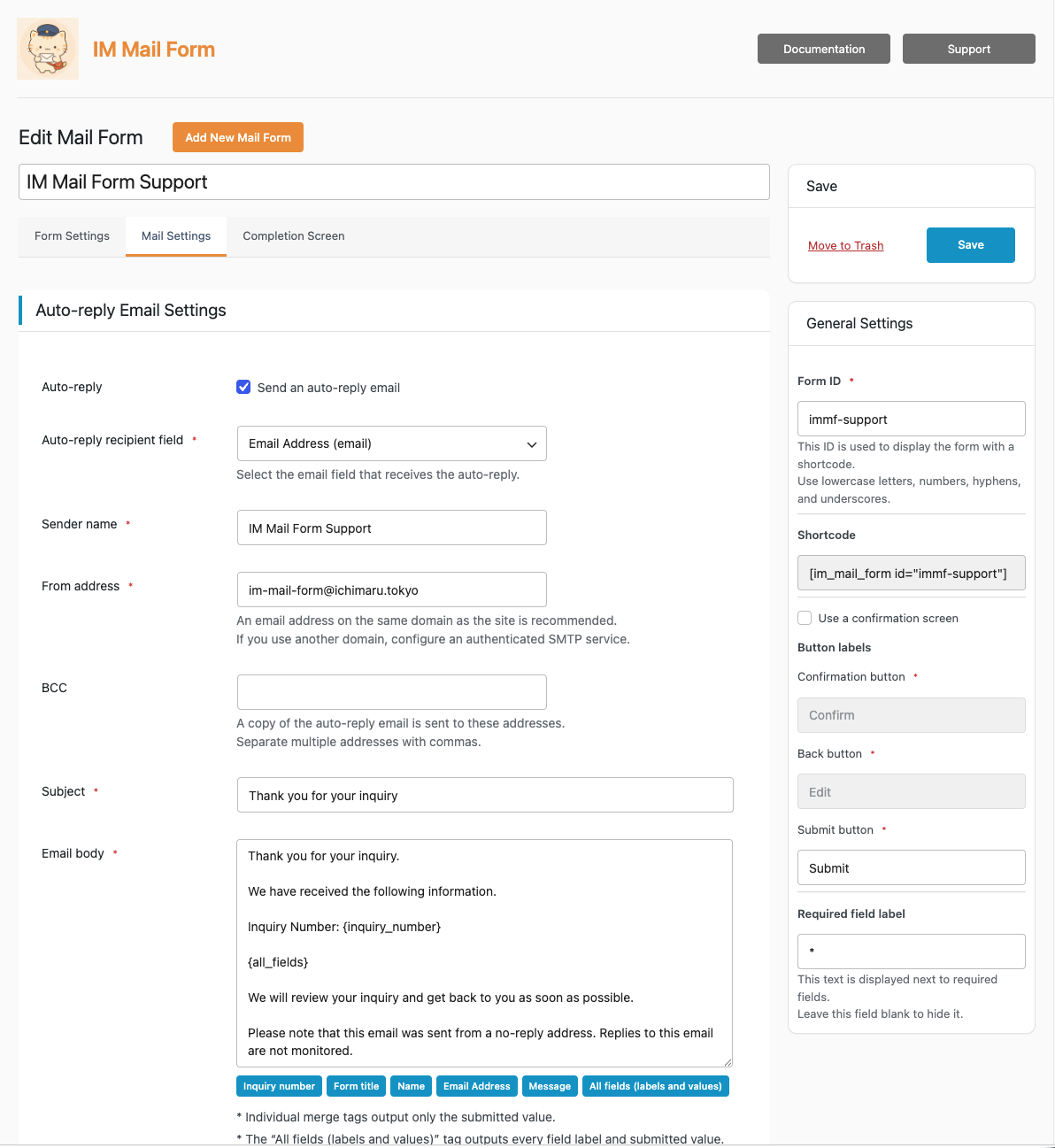
Send automatic reply emails to users after they submit a form.
For administrator notifications, you can configure the To, Cc, Bcc, subject, and message body separately for each form.
Merge tags let you insert submitted form data directly into your emails.
File Uploads
Allow users to upload files through your forms and attach them to notification emails.
You can configure allowed file extensions and maximum file sizes.
Email Logs
Review email delivery results directly from the WordPress dashboard.
IM Mail Form records the information needed to check email delivery, including the date and time, form name, delivery status, and recipient information.
Submitted form data and email message contents themselves are not stored.
Multiple Forms
Create multiple forms for different purposes, such as contact forms, information requests, or reservation inquiries.
Each form can be placed on a page or post using its shortcode.
Built-in Spam Protection
IM Mail Form includes built-in protection against spam and automated submissions.
Enabled by default:
- Honeypot
- Time Trap
- Rate Limit
For additional protection, you can also use an external CAPTCHA service:
- Cloudflare Turnstile
- Google reCAPTCHA v2
- Google reCAPTCHA v3
CAPTCHA is optional.
You can select the CAPTCHA provider individually for each form, allowing you to choose the protection that best fits your website and use case.
Get Started in Just a Few Steps
Once IM Mail Form is installed, you can create a basic form in just a few steps.
1. Create a Form
Create a new form from the WordPress dashboard.
2. Add Your Fields
Choose the fields you need and arrange them as required.
3. Configure Your Emails
Set up administrator notifications and automatic reply emails.
4. Add the Shortcode
Copy the generated shortcode and paste it into a page or post.
5. Publish
Your form is ready to use.
Extend IM Mail Form with Add-ons
Add only the functionality you need with IM Mail Form Add-ons.
Keep the free Core plugin simple, and extend it when you need more advanced form functionality.
Conditional Logic
Show or hide form fields based on user input.
For example, you can display additional fields only when a user selects a specific inquiry type.
Recipient Routing
Route administrator notification emails to different recipients based on submitted form values.
For example, inquiries can be sent directly to Sales, Recruiting, or Support depending on the option selected by the user.
Webhook
Send submitted form data to external services using webhooks.
Use the Webhook Add-on when you need to connect IM Mail Form with external systems or web services.
Documentation
Find detailed guides covering IM Mail Form setup, configuration, and features.
Frequently Asked Questions
Can I create a contact form using only the free Core plugin?
Yes. The Core plugin includes the essential features needed for typical contact forms.
Add-ons are available when you need more advanced functionality such as conditional logic, recipient routing, or webhooks.
Can I create multiple forms?
Yes. You can create and manage multiple forms.
Can I send automatic reply emails?
Yes. Automatic reply emails can be configured separately for each form.
Can I attach uploaded files to emails?
Yes. Add a File Upload field to your form and uploaded files can be attached to notification emails.
Does IM Mail Form include spam protection?
Yes. Honeypot, Time Trap, and Rate Limit protection are built in.
Cloudflare Turnstile, Google reCAPTCHA v2, and Google reCAPTCHA v3 are also available when additional CAPTCHA protection is needed.
Does IM Mail Form store submitted form data?
No. IM Mail Form does not store submitted form data or email message contents in the WordPress database.
Support
If you have questions, bug reports, or feature requests, please visit our Support page.